Brokerage foundation
Client records
Keep people, businesses, contacts, addresses, and communication details together in one structured record. Teams can work from the same client view instead of rebuilding context from inboxes, spreadsheets, and separate notes.
Person and business records
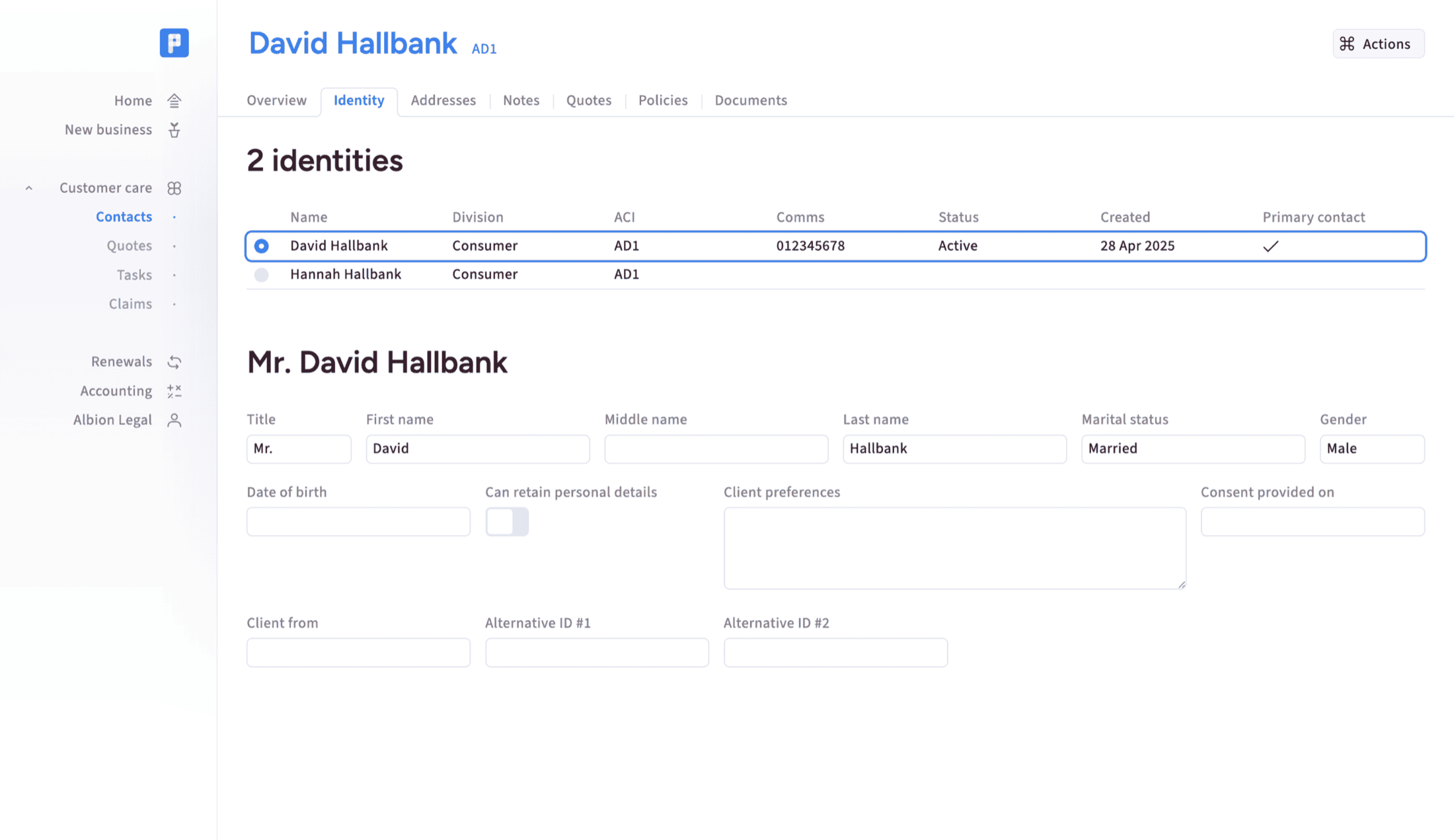
Distinguish between individuals and organisations, then capture the details that matter for each. Policyflow supports commercial records with multiple people, primary contacts, roles, addresses, and communication preferences.
Quick search
Find clients, quotes, policies, and key records quickly from common operational fields. Search supports day-to-day service work, policy administration, and fast customer response without forcing users through complex filters.
New contact creation
Create new client records with minimal friction so enquiries can become workable cases quickly. The goal is a clean starting point for quote, policy, documentation, and compliance activity.
Related records
Connect people, companies, introducers, and associated records where relationships matter. This supports real brokerage structures while keeping the core record understandable for servicing, reporting, and future review.
Marketing preferences
Track marketing permissions at person level, with clear defaults and configurable fields where needed. This keeps communications disciplined and helps teams respect consent without running separate tracking spreadsheets.
Notes capture
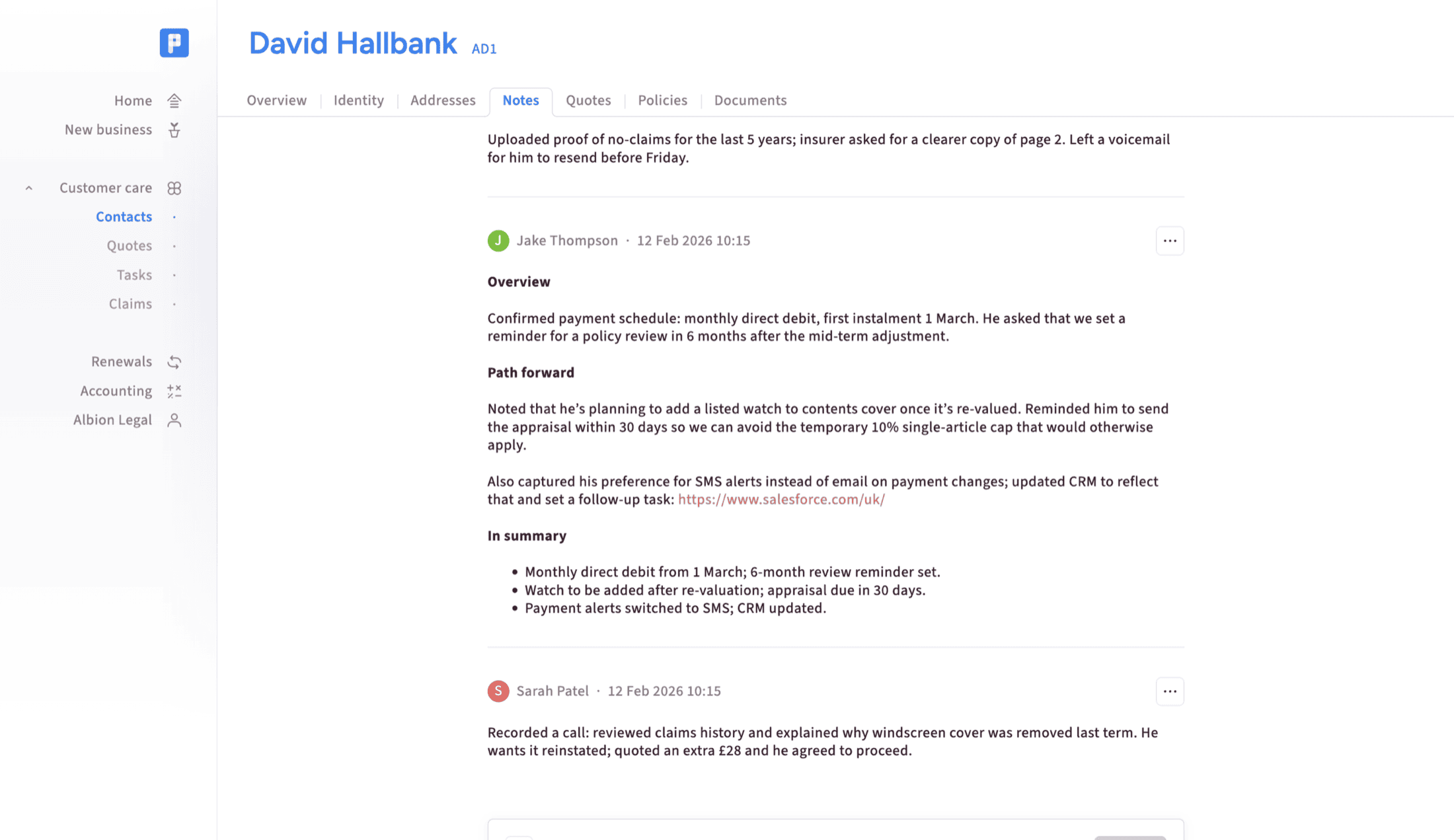
Capture useful context when a structured field is not available or not justified. Notes help teams record risk details, exceptions, vulnerability context, complaints information, and operational decisions without overcomplicating forms.
Audit history
Record changes, decisions, and activity against the relevant client, quote, policy, or workflow. Audit history gives teams evidence of what happened and helps regulated businesses answer compliance questions confidently.
Quote to renewal
Quote management
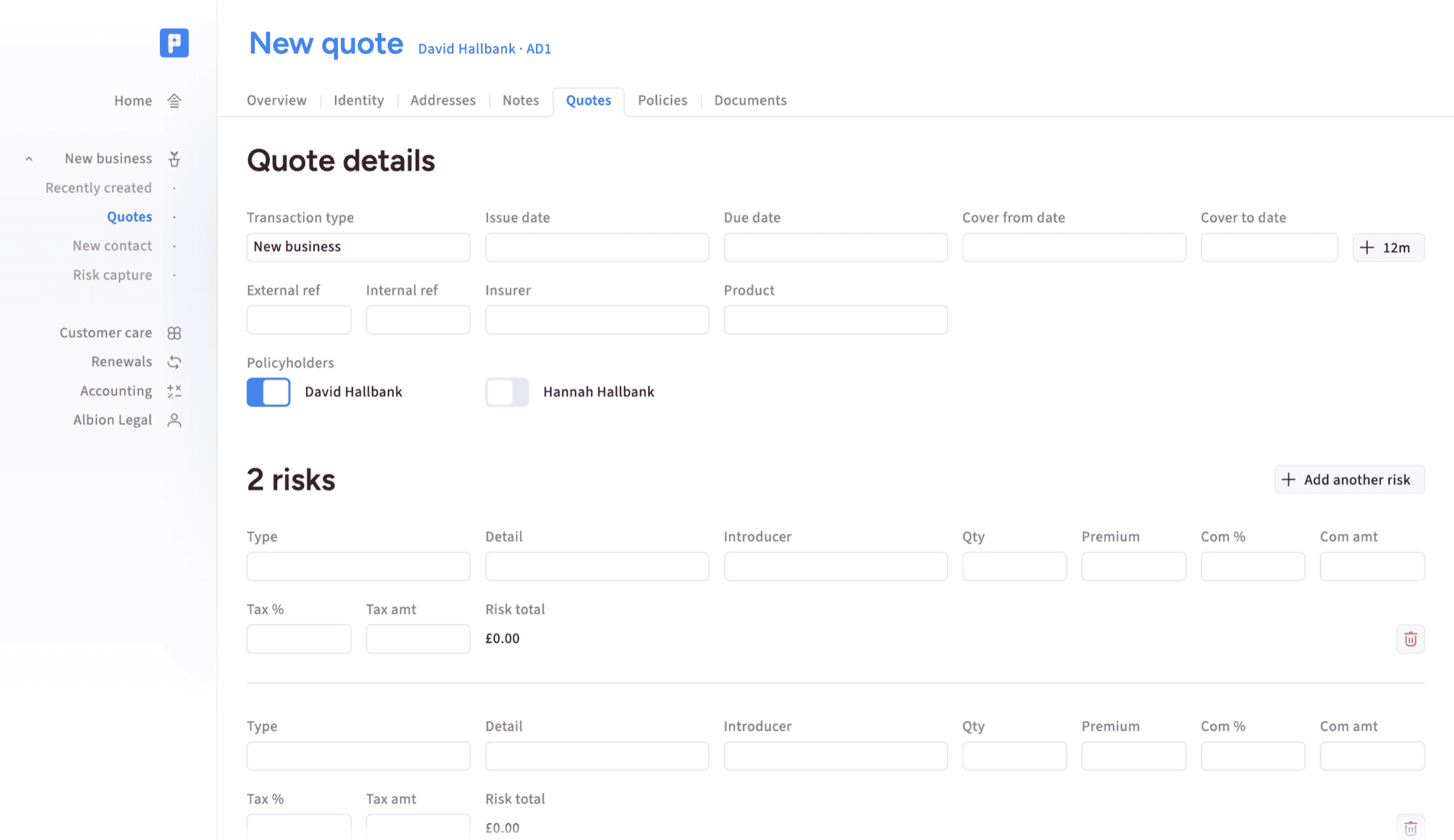
Create and manage quotes for personal or commercial clients, including status, terms, notes, and supporting documents. Quote records keep the story together even when pricing comes from insurer portals or panels.
Policy administration
Manage policy records through the core lifecycle, from quote and bind through servicing, MTAs, renewals, and cancellations. Policyflow gives teams one operational place to maintain policy history and documents.
Bind workflow
Move from accepted quote to policy with a clear operational step and supporting evidence. The bind process keeps terms, documents, decisions, and ownership visible at the point cover becomes live.
MTA servicing
Handle mid-term adjustments as part of the same policy record rather than as disconnected side work. Teams can keep dates, changes, documents, notes, and follow-up activity tied to the policy history.
Renewal visibility
See upcoming renewals and servicing work before they become urgent. Renewal views help teams plan activity, prioritise client contact, and reuse previous policy history instead of reconstructing it under pressure.
Risk details
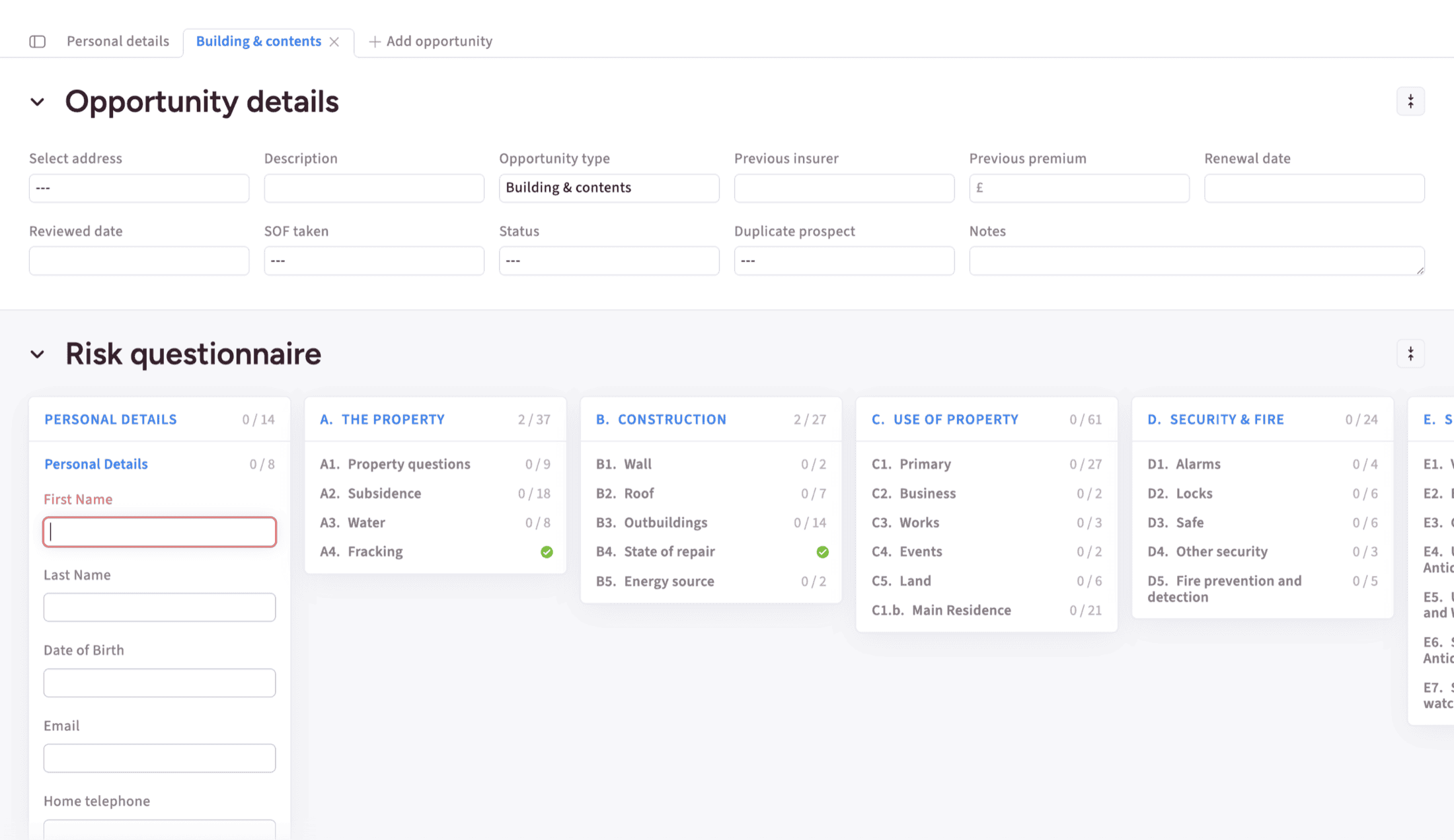
Capture risk information where the operating model needs it, while keeping simpler policy administration possible. Essentials can stay notes-first, with deeper risk configuration available for more complex Pro use cases.
Product flexibility
Support a broad range of insurance products and specialist lines, including property, marine, professional indemnity, warranties, gap insurance, and niche commercial schemes. Policyflow is designed around broker workflows, not one product template.
Quote documents
Keep quote outputs, terms, insurer documents, and supporting attachments with the quote record. This reduces searching through inboxes and helps account handlers explain what was offered, accepted, declined, or superseded.
Documents and communications
Document uploads
Upload and catalogue documents against contacts, quotes, and policies so evidence stays with the work it supports. Documents can be retrieved from the relevant record instead of a separate filing exercise.
Email filing
File inbound and outbound emails against the right client, quote, or policy record. Email integration keeps the operational trail complete and reduces the risk that important context remains trapped in personal inboxes.
Document generation
Generate proposals, policy documents, letters, and client communications from structured data where the workflow justifies it. This is usually a Pro capability for teams with repeatable templates and higher documentation volume.
Document templates
Use configurable templates to create consistent client-facing outputs across letters, proposals, and policy packs. Templates help teams preserve quality and reduce manual drafting when documents follow repeatable patterns.
Digital forms
Capture website enquiries, lead details, risk data, or client updates through connected digital forms. Forms are most valuable when submissions become usable records rather than another inbox to manually process.
Complaints handling
Record complaints context and supporting notes in a way that can be reviewed later. The initial Essentials approach can stay notes-first, with more structured handling added where process complexity requires it.
Client portal
Client portal
Give customers a secure online space to see key information, download documents, request updates, and arrange contact. It extends Policyflow into a client-facing service without exposing the full back-office system. Explore portal
Passwordless sign-in
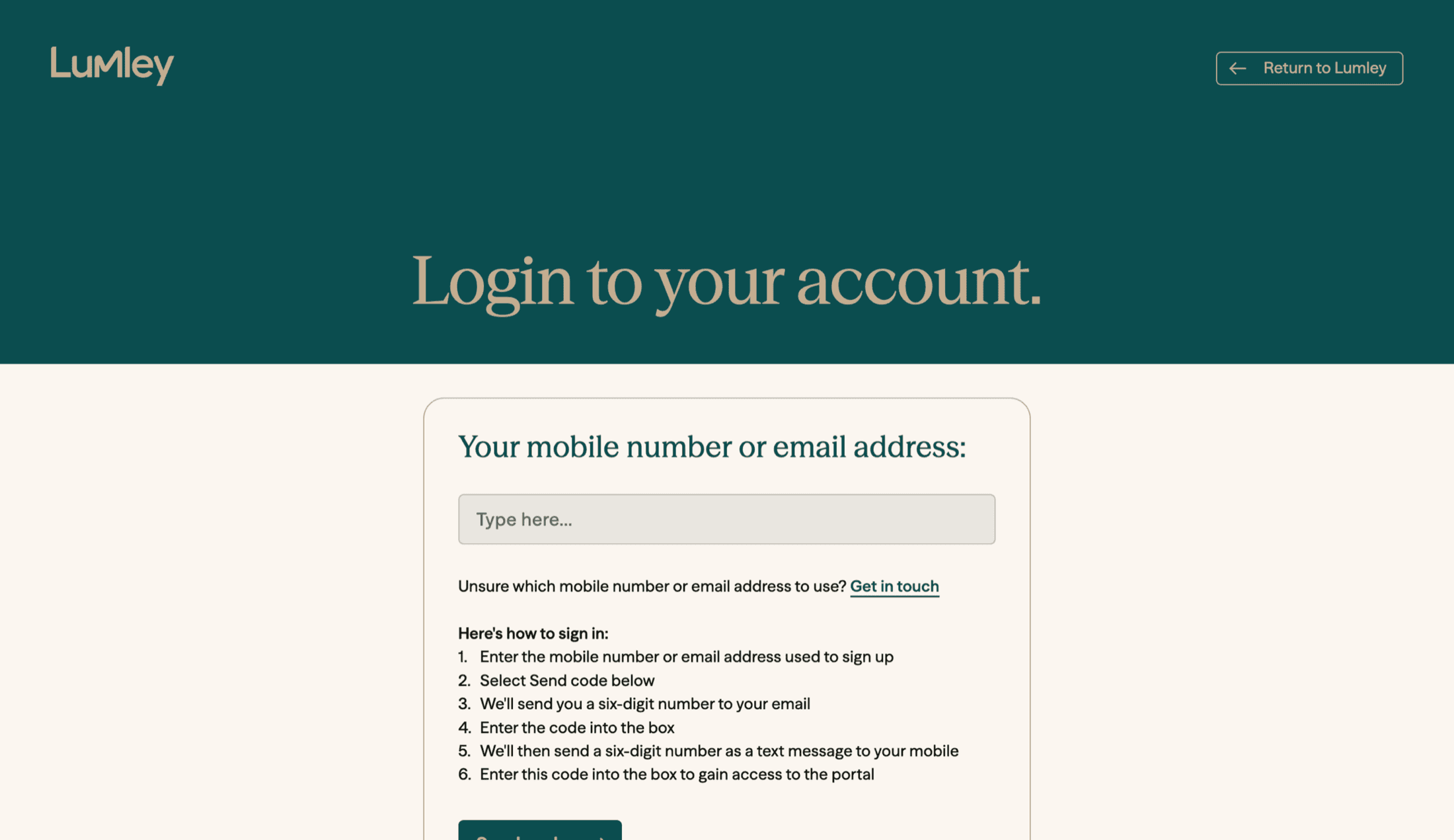
Let clients access the portal using short-lived verification codes sent by email, SMS, or both. There is no separate portal password to remember, reset, or administer.
Branded experience
Present the portal with the broker's visual identity, website alignment, and client-facing tone. This makes the service feel like a natural part of the broker relationship rather than a separate tool.
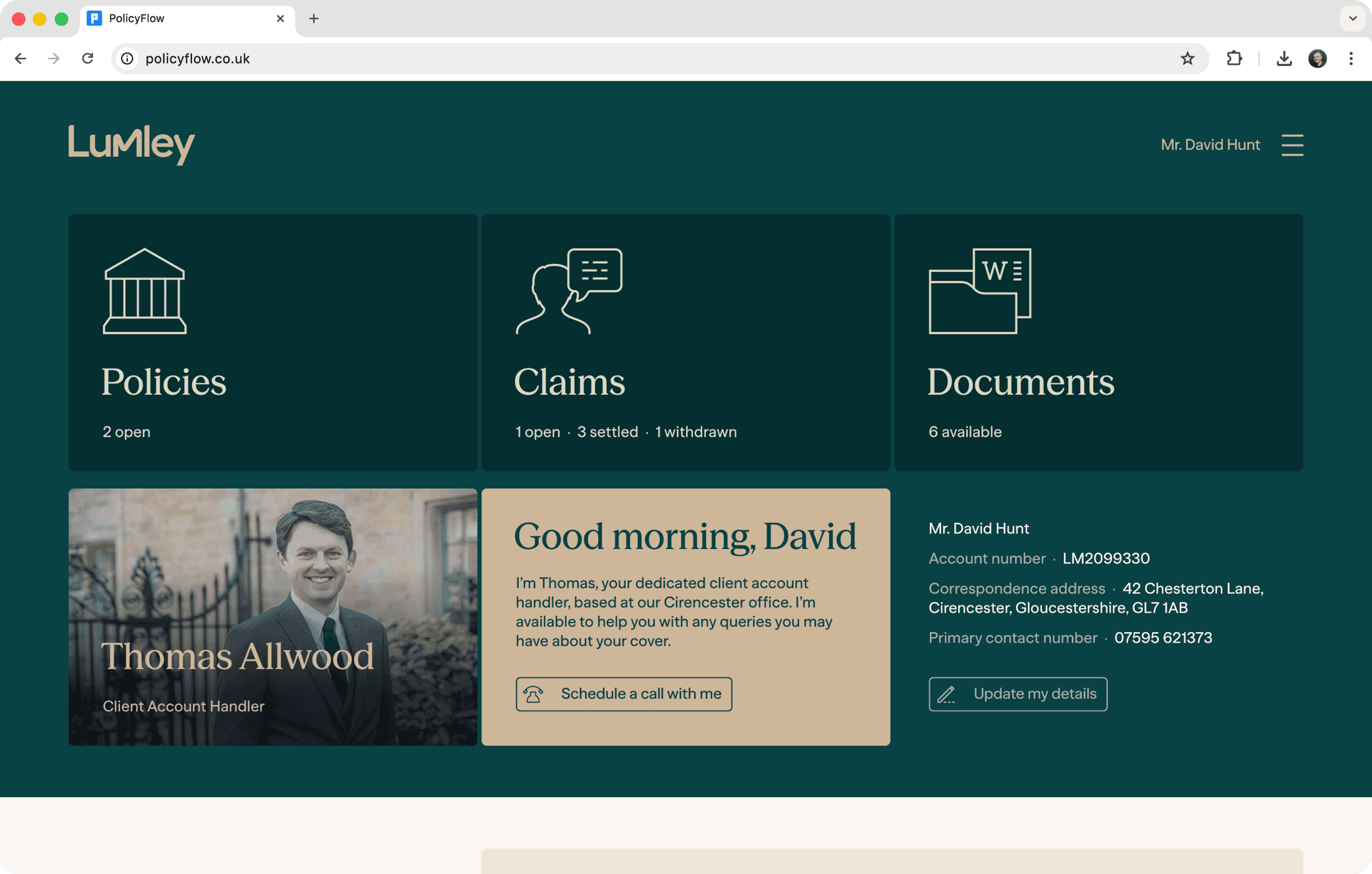
Portal dashboard
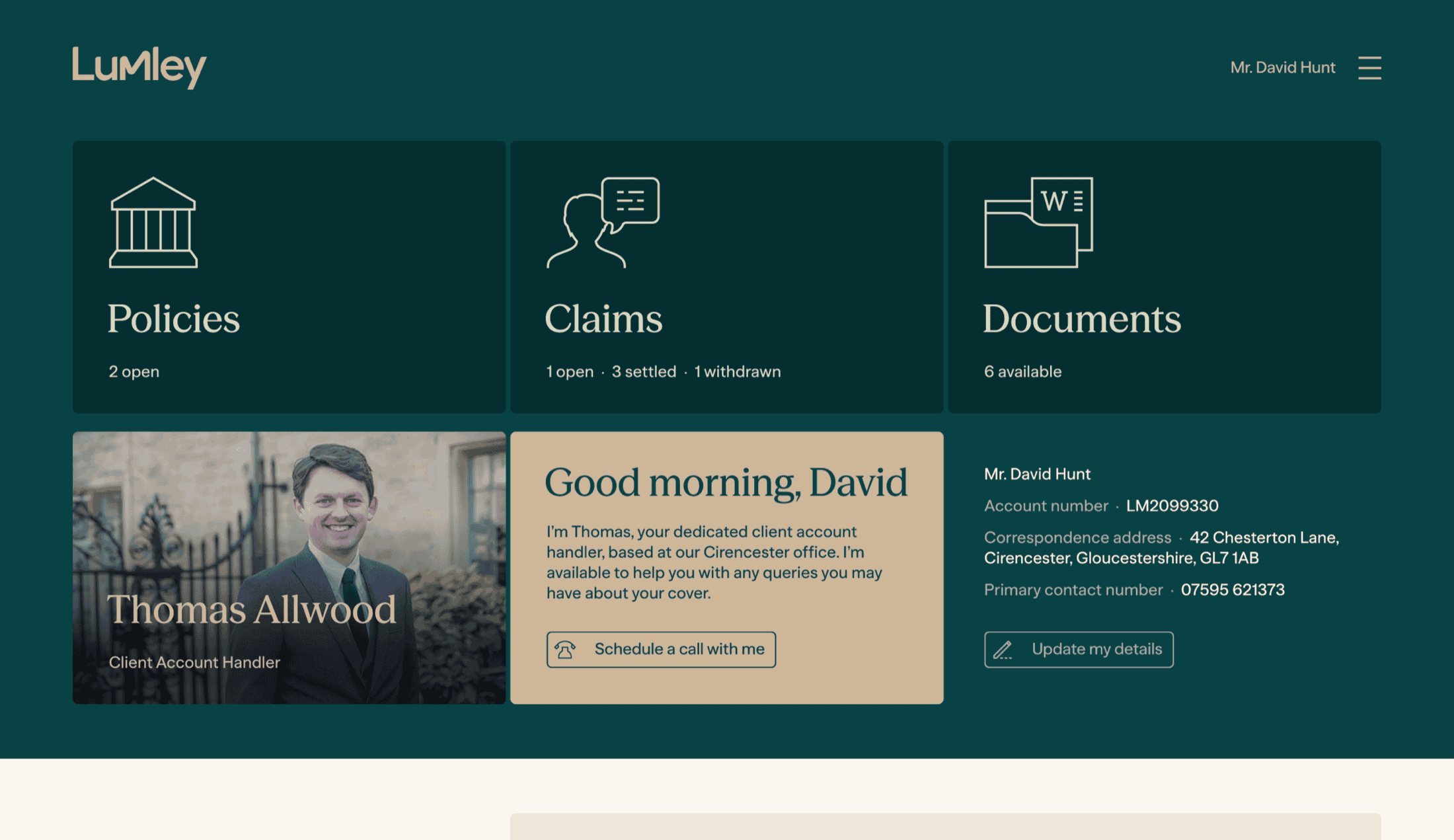
Show the client their main relationship view in one place, including handler context, key account details, policies, claims, and recent documents. Shared verified email addresses can bring related accounts together.
Live Policyflow data
Connect the portal to current Policyflow records through controlled APIs rather than maintaining a separate permanent portal copy. Client access is matched through verified contact details linked to Policyflow people.
Policy view
List active policies with policy type, renewal timing, and clear visual cues. Renewal-led ordering helps clients see what matters next and gives brokers a useful digital prompt for upcoming conversations.
Claims view
Provide a light-touch claims summary with reference, type, date, and current status. The view gives clients useful visibility while keeping the detail level appropriate for a self-service portal.
Document library
Let clients download selected documents that the broker has chosen to expose. Visibility remains controlled in Policyflow, with support for defaults, bulk updates, recent document windows, and progressive loading.
Email attachment extraction
Show supported email file attachments as individual document rows where appropriate. This helps clients find the actual document they need instead of opening an email container first.
Details update requests
Allow clients to request changes to contact details, addresses, or communication preferences. Requests are captured for broker review rather than written directly, preserving control over record changes.
Appointment scheduling
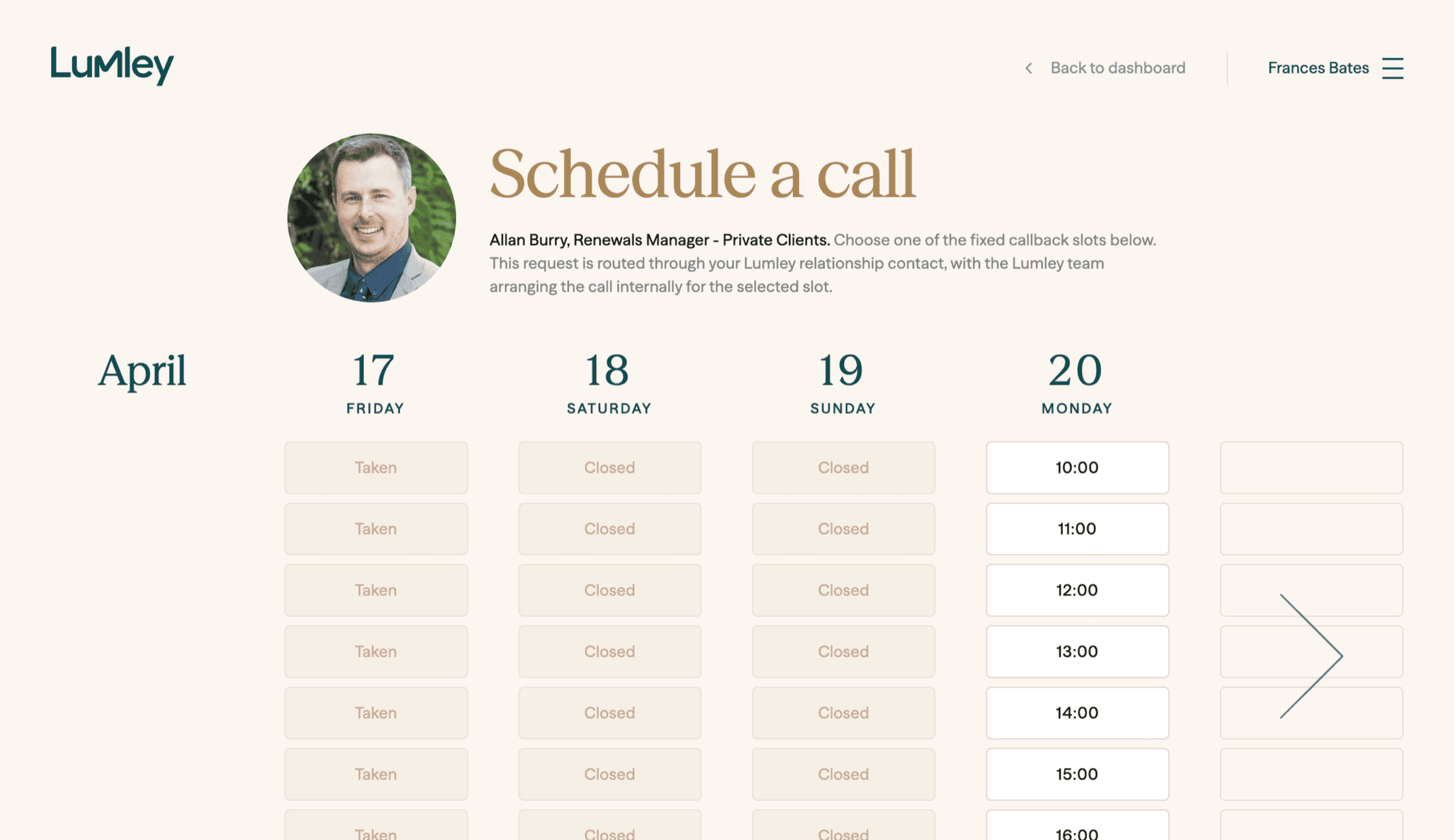
Offer controlled appointment slots based on working days, spacing rules, closures, public holidays, and date ranges. Notifications can route to handlers, managers, and central administration teams.
Portal security
Protect access with server-side sessions, short-lived sign-in codes, rate limits, audit trails, secure cookies, and perimeter controls. The portal is designed to avoid logging sensitive authentication or contact data.
Reporting and control
Data browser
Browse operational data to answer practical questions such as what is due for renewal, what needs attention, or where work is building up. This supports everyday management without custom reporting work. See reporting examples
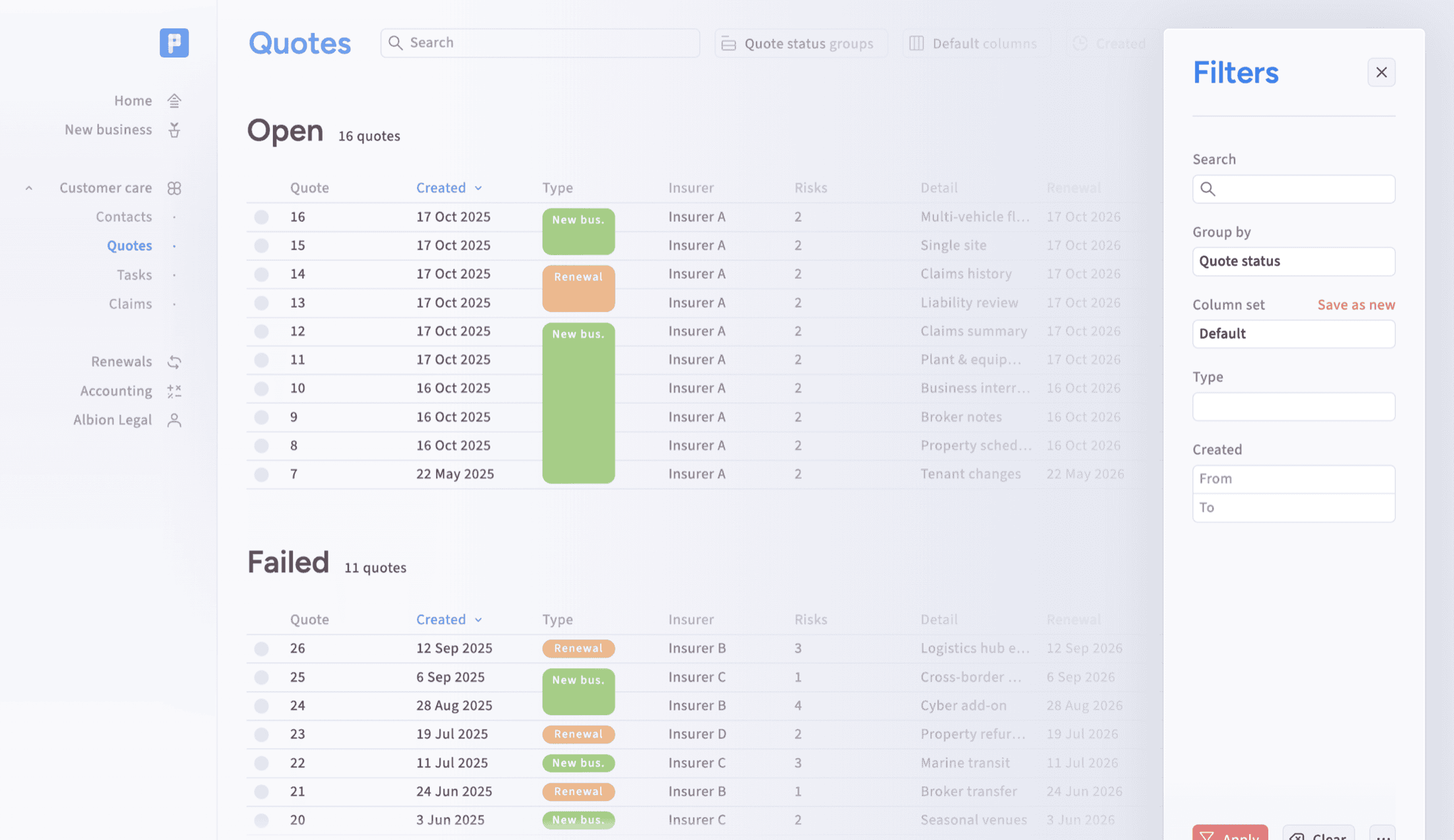
Data export
Export policy transactions and related contact information in bordereaux-style formats. Exports help teams share data, satisfy reporting needs, and work with downstream processes without recreating information manually.
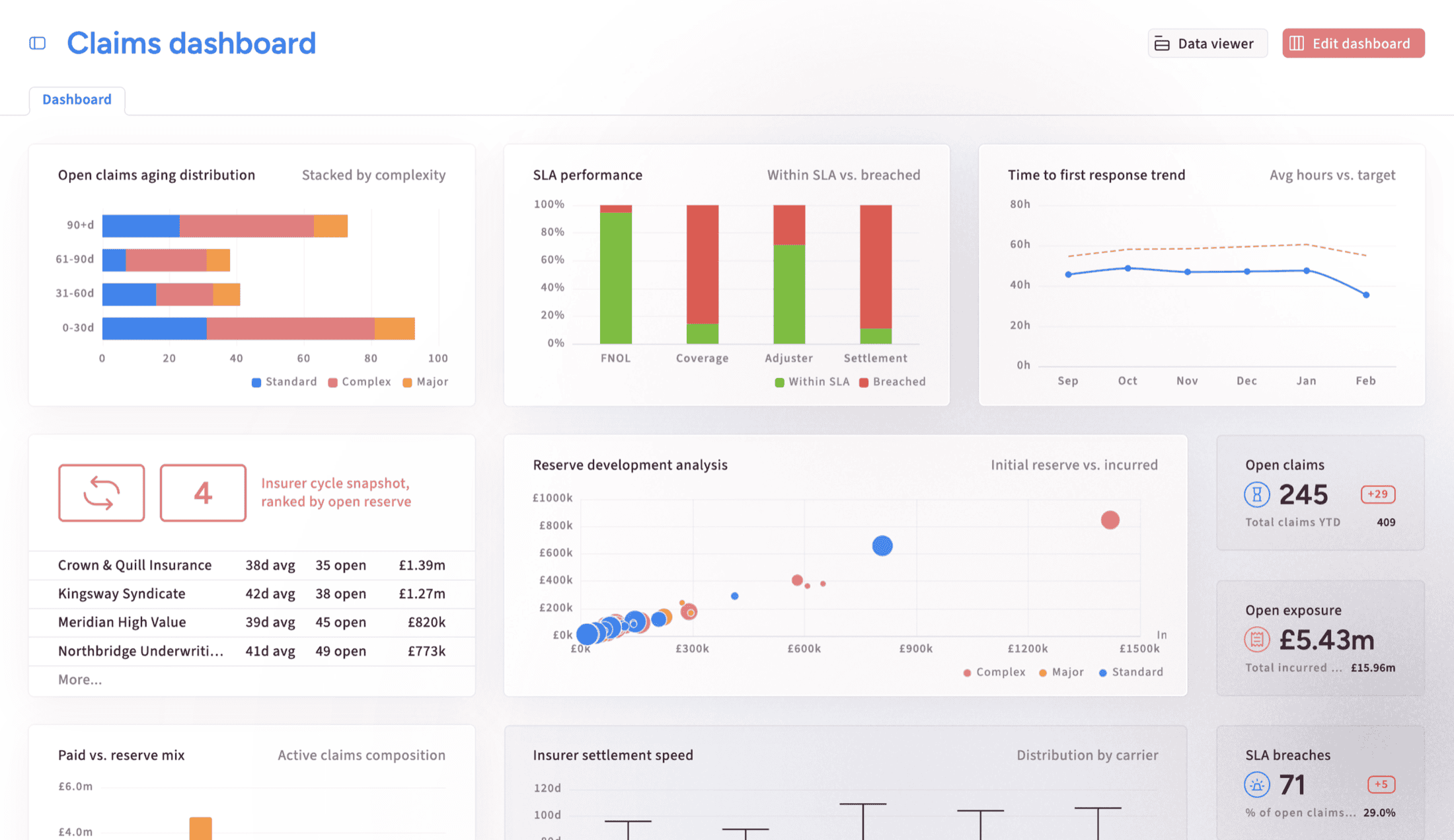
Dashboards
Surface useful operational views for teams and managers, including workload, renewal, policy, and performance information. Dashboards should help people act, not just display abstract metrics away from the workflow.
Management information
Turn live brokerage activity into practical MI for leaders, compliance teams, and operational managers. Policyflow can support pipeline, renewal, financial, claims, and process reporting where the underlying data is captured consistently.
Permissions
Control who can view, edit, and administer sensitive client, policy, and operational data. Role-based access keeps governance close to everyday work and supports regulated teams as responsibilities change.
Compliance checks
Support checks such as sanctions and PEP screening using client or business details held on the record. The workflow should preserve evidence of checks and make compliance activity visible when it matters.
Vulnerability records
Capture vulnerable client context per person so teams can provide appropriate service and evidence their approach. A notes-first model keeps Essentials simple, with structured fields possible as patterns mature.
Complaints and FCA context
Keep FCA-relevant information close to the client and policy record, including complaints, vulnerability notes, audit history, and servicing evidence. The aim is compliance through normal work, not a separate admin burden.
Configuration and admin
Admin settings
Manage core setup such as users, insurers, rates, products, affiliates, adjustment types, marketing preferences, and risk questionnaires. Admin capability supports controlled onboarding and keeps operational configuration visible.
Configurable labels
Tailor selected labels, identifiers, tab names, and display choices so Policyflow fits a brokerage's working language. This helps teams adopt the system without turning every rollout into custom development.
Section controls
Hide, show, or rename selected areas where a business does not need them. This is useful for simpler teams that want fewer distractions and Pro teams with more specialised operating models.
Custom fields
Add extra fields where a broker needs to capture information beyond the standard model. Essentials should avoid field sprawl, while Pro can support deeper configuration when repeatable requirements are clear.
Custom forms
Add or adapt forms for specialist workflows, risk capture, onboarding, or operational processes. This belongs in Pro because field order, validation, reporting, and user experience need careful setup.
Help and guidance
Provide practical guidance inside admin and workflow screens so teams understand what to configure and why. Good help reduces support tickets and makes onboarding smoother for smaller brokers.
Data migration
Move data from existing systems, spreadsheets, or databases into Policyflow with mapping, cleaning, and transformation where needed. Migration is usually scoped carefully because source quality and operating models vary.
Integrations and extensions
Open APIs
Use APIs to connect Policyflow with external systems and data sources where the operating model requires it. APIs support controlled data movement without promising that every integration is off-the-shelf.
Underwriter connections
Connect to insurer, MGA, panel, or underwriter workflows where practical and commercially justified. Pro can support quote and bind connectivity, while Policyflow remains the operational record when quoting happens elsewhere.
EDI support
Support EDI-related data exchange where it is part of a Pro operating model. Policyflow should not be positioned as an EDI marketplace, but can connect lifecycle data to downstream systems.
Data enrichment
Enhance records with trusted third-party data where it reduces manual entry or improves validation. Enrichment can include address lookup, company data, sanctions data, or other sources relevant to the workflow.
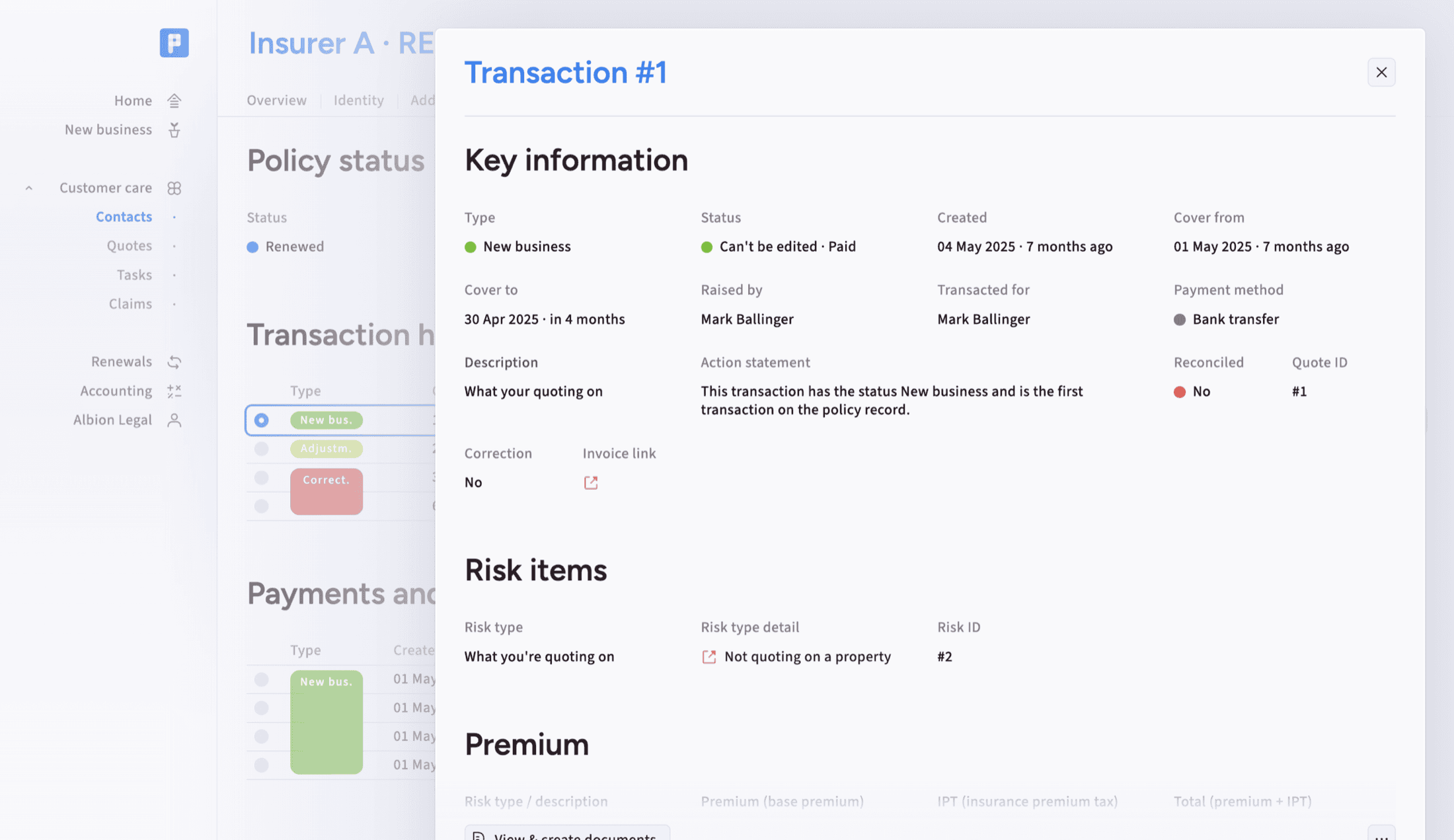
Accounting links
Connect policy, payment, balance, and transaction information into accounting or reconciliation workflows where needed. This is most relevant for teams managing client monies, insurer reconciliation, or finance reporting in Pro.
Payments and balances
Track paid and due amounts against clients, policies, and transactions where the brokerage process requires it. Payment visibility supports finance control, reconciliation, and clearer servicing conversations.
Lead capture
Connect website forms, quote intake, and new-business enquiries into the Policyflow workflow. Lead capture is strongest when incoming data creates a usable record instead of another manual re-entry task.
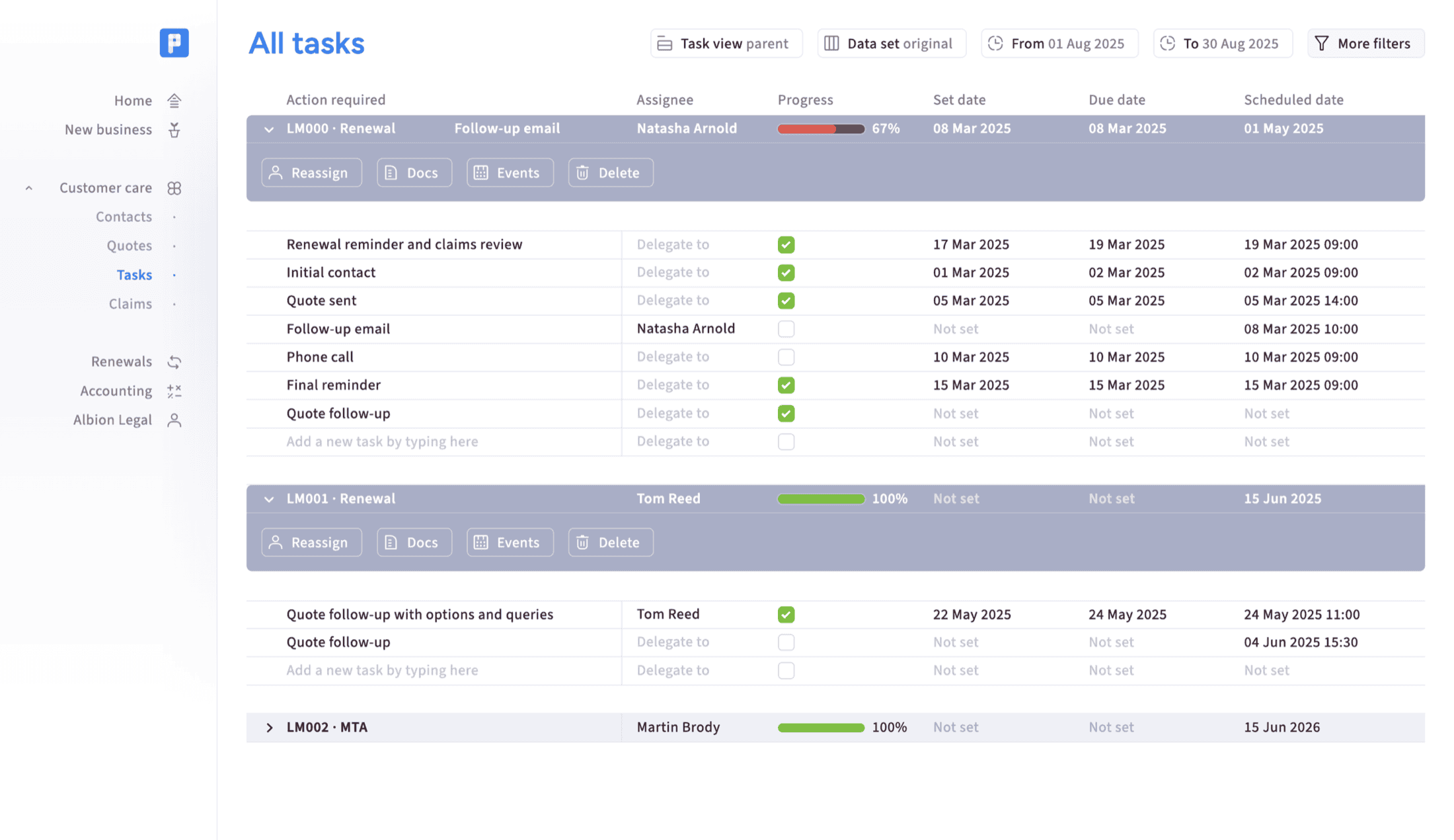
Claims management
Record claims, dates, notes, documents, and workflow activity where claims handling is part of the business model. This is usually Pro or specialist because many Essentials users do not handle claims.
Task automation
Use tasks, reminders, ownership, and workflow automation to keep work moving across teams. Task depth should match the operating model, from simple next steps to more advanced process management.
Client portal
Give clients a secure front door into Policyflow
The client portal works as a companion to the back-office system, giving clients a simple branded view of selected Policyflow information.
It is powered by secure API connections to live operational data, so clients can check key details, download documents, and take the next step without creating another data store for the team to maintain.